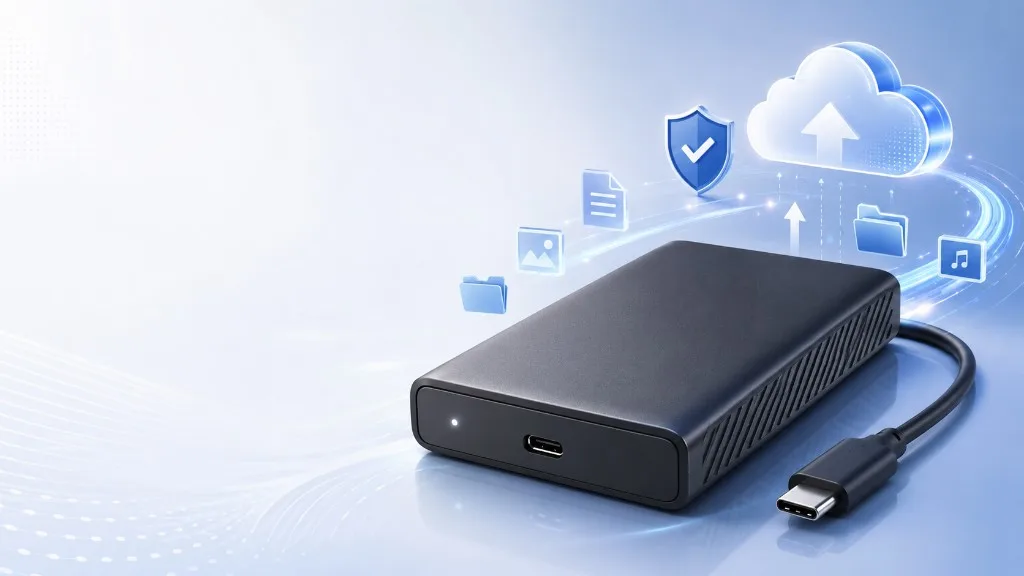
Best External Hard Drive for Backup UK 2026

Last updated: 18 February 2026

An external hard drive is the simplest and cheapest way to back up your data. For most people, a single external drive — regularly plugged in and backed up to — is enough to recover from a laptop failure, accidental deletion, or ransomware attack. Here is how to pick the right one and what to pay, based on live UK prices.

Best Value External Hard Drives Right Now

View all 78 external hard drives →

How Much Storage Do You Need?

A backup drive should be at least 1.5 times the size of the data you want to protect, to leave room for multiple backup snapshots. Here is a quick guide:

What you are backing upRecommended sizeBest format
Laptop (documents, photos, apps)1TB – 2TBPortable (USB-powered)
Desktop PC2TB – 4TBDesktop or portable
Mac with Time Machine2x your Mac's storageDesktop (stays plugged in)
Photo / video library4TB – 8TBDesktop (best £/TB)
Multiple computers / whole household8TB+Desktop or NAS

Portable vs Desktop External Drives

Portable (2.5-inch)

  • ✅ Bus-powered — no power adapter needed
  • ✅ Small enough to store off-site or carry with you
  • ✅ Up to 5TB capacity
  • ⚠️ Higher cost per terabyte than desktop drives
  • ⚠️ Slower (usually 5,400 RPM)

Desktop (3.5-inch)

  • ✅ Better price per terabyte
  • ✅ Up to 20TB capacity
  • ✅ Higher speeds (7,200 RPM options)
  • ⚠️ Requires mains power adapter
  • ⚠️ Bulkier — designed to stay in one place

Best value desktop right now:

WD 18TB Elements Desktop External Hard Drive - USB 3.0, Black

£15.28/TB — £274.99

The 3-2-1 Backup Rule

No single backup drive is enough. Hard drives fail — the question is when, not if. The industry-standard approach is the 3-2-1 backup rule:

  • 3 copies of your data (original + 2 backups)
  • 2 different types of storage media (e.g. internal drive + external drive)
  • 1 copy stored off-site or in the cloud (protects against fire, theft, flood)

In practice, this means: your files on your computer, a backup on an external drive at home, and a second backup either at another location (e.g. a family member's house) or in cloud storage. Even a basic cloud backup of your most important files (documents, photos) covers the off-site requirement.

Frequently Asked Questions

What is the best external hard drive for backup?

For a portable backup drive, a 2TB-5TB USB-powered 2.5-inch drive is ideal — look for the best price per terabyte at your target capacity. For a home backup that stays plugged in, a desktop 4TB-8TB drive gives you significantly more storage per pound. Always compare by £/TB, not total price.

How much storage do I need for a backup drive?

Buy a backup drive at least 1.5-2x the size of the data you want to back up. For a typical laptop (256GB-1TB), a 2TB drive is plenty. For a desktop with games and media, 4TB is a comfortable minimum. For a Time Machine backup of a Mac, Apple recommends 2x your Mac's storage capacity.

What is the 3-2-1 backup rule?

3 copies of your data, on 2 different storage types, with 1 copy off-site. Example: original files on your laptop (1), backup to an external drive at home (2), and a cloud backup or a second drive at another location (3). This protects against hardware failure, theft, and disasters like fire or flood.

Portable vs desktop external hard drive: which is better for backup?

Desktop drives offer better price per terabyte and higher capacities, making them the better choice for a home backup that stays connected. Portable drives are convenient for off-site backups because you can easily take them to another location. Using one of each (desktop for primary backup, portable for off-site) is an excellent setup.

Compare external drive prices

Browse all external hard drives sorted by price per terabyte, or shop by capacity.