SSD vs HDD: Which Should You Buy in 2026?
Last updated: 15 February 2026
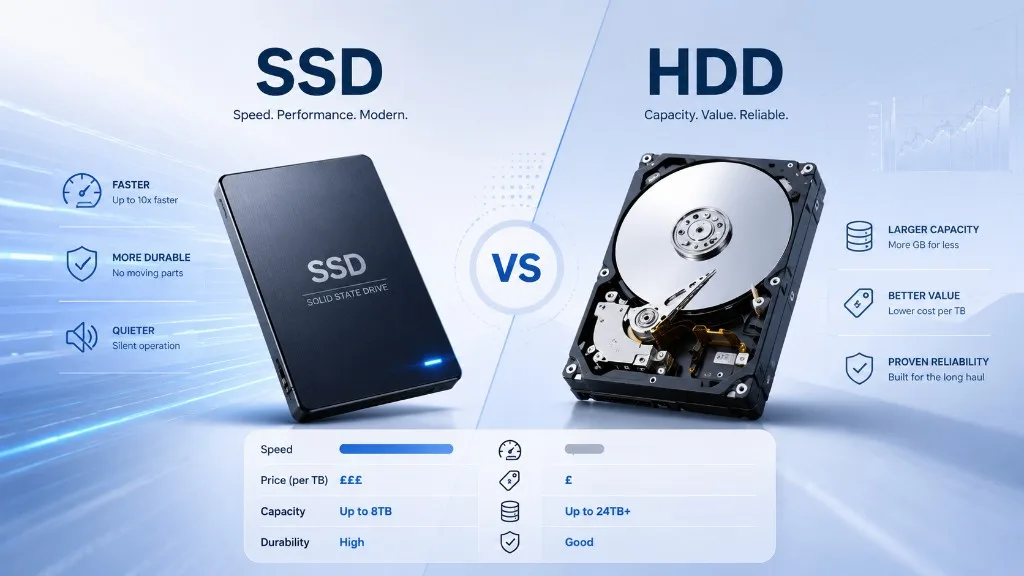
Choosing between an SSD and a hard drive comes down to two factors: speed and cost per terabyte. SSDs are dramatically faster but cost more per TB. Hard drives are slower but offer unbeatable value for bulk storage. Here is how they compare in 2026 with real UK prices.
Quick Comparison
| Feature | HDD | SATA SSD | NVMe SSD |
|---|---|---|---|
| Cheapest per TB | £17.00/TB | £66.75/TB | £82.50/TB |
| Median per TB | £35.25/TB | £149.00/TB | £127.00/TB |
| Read speed | 100-200 MB/s | 500-550 MB/s | 3,500-7,000 MB/s |
| Durability | Fragile (moving parts) | Shock resistant | Shock resistant |
| Noise | Audible hum/click | Silent | Silent |
| Max capacity | 24TB+ | 4TB | 8TB |
| Products tracked | 66 | 28 | 84 |
When to Choose a Hard Drive (HDD)
Hard drives remain the best choice when you need maximum storage for minimum cost. At just £17.00/TB for the best deals, they are unmatched for:
- NAS and home servers — Multi-bay NAS systems are designed for HDDs, and the cost savings multiply across 4-8+ drives.
- Backup and archival storage — For data that is written once and read occasionally, HDD speed is perfectly adequate.
- Large media libraries — Storing terabytes of movies, music, and photos where access speed is not critical.
- Surveillance systems — CCTV systems that write continuously but rarely read back footage.
When to Choose an SSD
SSDs should be your default choice for anything where speed and responsiveness matter:
- Boot drive / operating system — The single biggest upgrade for any computer. Windows boots in 10-15 seconds on an SSD vs 30-60 on an HDD.
- Gaming — Modern games load 2-5x faster from an SSD. Some newer titles are specifically designed for SSD speeds.
- Video editing and creative work — Scrubbing through timelines, loading project files, and rendering previews are all dramatically faster.
- Laptops — SSDs are lighter, use less power (better battery life), and survive drops better than HDDs.
- General desktop use — Applications launch instantly, file copies are faster, and the system feels snappier overall.
The Best of Both Worlds: SSD + HDD
Many users opt for a combination: a smaller SSD (500GB-2TB) as a boot drive for their operating system and frequently used applications, plus a larger HDD (4TB-16TB) for bulk storage, backups, and media libraries. This gives you the speed benefits of an SSD where it matters most while keeping costs low for bulk data.
SATA SSD vs NVMe SSD
If you have decided on an SSD, you still need to choose between SATA and NVMe:
- SATA SSDs use the same interface as hard drives. Maximum speed: ~550MB/s. They work in any computer with SATA ports and are usually slightly cheaper than NVMe.
- NVMe SSDs connect via PCIe through an M.2 slot. Maximum speed: 7,000MB/s (Gen4) or 12,000MB/s+ (Gen5). You need a compatible motherboard with an M.2 slot.
For most users, the difference between SATA and NVMe is hard to notice in everyday use (both feel instant). NVMe is worth it for large file transfers, professional video editing, and if your motherboard supports it. SATA SSDs are the budget-friendly option that still massively outperforms hard drives.
Frequently Asked Questions
Is an SSD worth the extra cost over an HDD?
Absolutely, for your primary drive. The speed difference is transformative — your computer will feel like a completely different machine. For bulk/backup storage, HDDs still offer better value per terabyte.
How much faster is an SSD than an HDD?
A SATA SSD is about 5x faster than an HDD in sequential reads. An NVMe SSD is 30-70x faster. In real-world use, this translates to Windows booting in 10-15 seconds instead of 30-60 seconds, and applications launching nearly instantly.
Should I get an SSD or HDD for gaming?
An SSD is strongly recommended for gaming in 2026. Game load times are 2-5x faster on an SSD. Modern games like those using DirectStorage are designed specifically for SSD speeds. An NVMe SSD offers the best gaming experience.
Do SSDs last longer than HDDs?
SSDs have no moving parts, making them more resistant to physical damage. Modern SSDs are rated for 150-600+ TBW (terabytes written), which is more than enough for 5-10+ years of typical use. HDDs are more prone to failure from physical shocks and mechanical wear.
Can I use both an SSD and HDD in the same computer?
Yes, this is a very popular setup. Use the SSD as your boot drive (C: drive) for Windows and applications, and the HDD as a secondary drive (D: drive) for documents, media, and backups.
Compare prices now
Use our real-time price comparison to find the best deals on HDDs and SSDs.