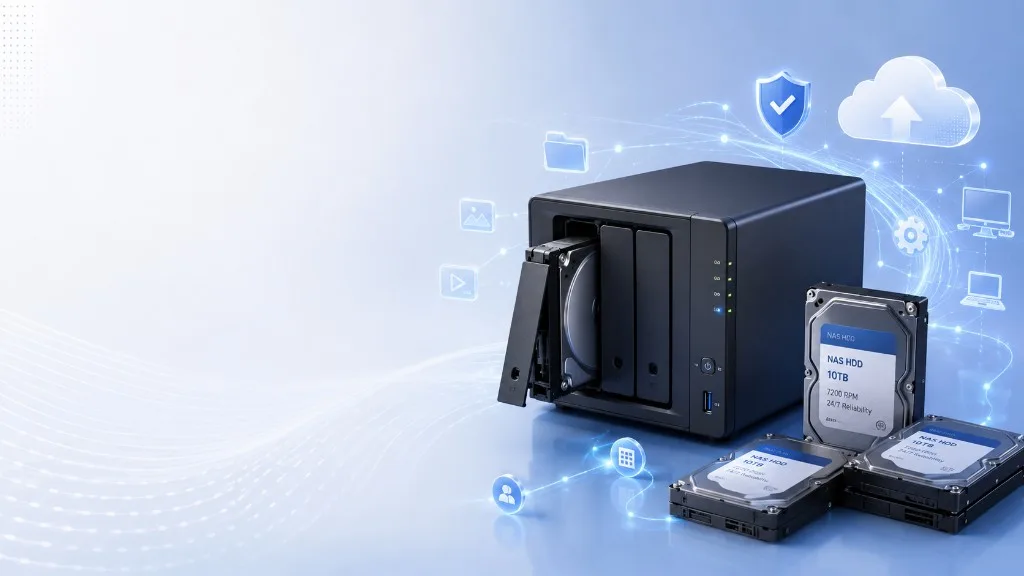
Best Hard Drive for NAS UK 2026
Last updated: 18 February 2026
Choosing the right hard drive for a NAS comes down to three things: recording technology (CMR vs SMR), capacity, and price per terabyte. Get these right and your NAS will run reliably for years. Get them wrong — especially by using an SMR drive in a RAID array — and you will pay for it in failed rebuilds and lost data.
The most important rule: always use CMR drives in a NAS
SMR (Shingled Magnetic Recording) drives are significantly slower when writing data over existing content — exactly what happens during RAID rebuilds. In a RAID array, a single SMR drive can cause a rebuild to fail entirely, destroying your redundancy. Stick to CMR drives: Seagate IronWolf, WD Red Plus, or any drive explicitly marketed for NAS use.
Best Value Hard Drives Right Now
The cheapest drives per terabyte available from Amazon UK today, updated daily. Larger capacity drives consistently offer the lowest £/TB — the sweet spot for NAS use is typically 8TB–12TB.
Which Capacity to Buy
4TB drives hit a reasonable price-per-TB and are a good starting point for a 2-bay NAS. If you are building a first NAS and not sure how much storage you need, 4TB per bay is a safe choice.
8TB is the sweet spot for most home NAS users. The price per terabyte drops significantly at this capacity, and 8TB drives fit comfortably in 2-bay to 8-bay enclosures for a Plex server or family file storage.
12TB drives offer excellent price-per-TB and give serious headroom for growing media libraries. They are popular among NAS enthusiasts running Plex with 4K content or managing large photo/video archives.
What to Look for in a NAS Hard Drive
- CMR recording technology. This is non-negotiable for RAID use. Look for drives explicitly described as CMR, or NAS-certified drives like the Seagate IronWolf or WD Red Plus. The standard WD Red uses SMR — avoid it for NAS.
- 24/7 operation rating. NAS drives are designed to spin continuously, unlike desktop drives which expect idle time. NAS-rated drives have better thermal management and longer MTBF ratings.
- Vibration compensation (RV sensors). In a multi-bay NAS, drives vibrate each other. Drives with rotational vibration (RV) sensors compensate for this and maintain read/write accuracy. Important for 4-bay and larger enclosures.
- Workload rating. NAS drives are typically rated for 180–300TB per year of workloads, compared to 55TB/year for desktop drives. If you run a busy Plex server or regularly sync large files, this headroom matters.
- Warranty. Most NAS-specific drives come with 3-year warranties. Some higher-end models offer 5-year coverage, which is worth paying a small premium for if you are building a larger array.
Frequently Asked Questions
What hard drive should I use for a NAS?
Use a CMR hard drive rated for 24/7 operation. The best options are the Seagate IronWolf (or IronWolf Pro for larger arrays), WD Red Plus, or Toshiba N300. These drives are designed for continuous NAS use and certified compatible with popular enclosures from Synology and QNAP.
Can I use a regular hard drive in a NAS?
You can, but it is not recommended for long-term use. Desktop drives are designed for intermittent use and can wear out faster under the continuous operation of a NAS. They also lack vibration compensation sensors which become important in multi-bay enclosures.
What is the difference between CMR and SMR hard drives?
CMR (Conventional Magnetic Recording) drives write data in non-overlapping tracks with consistent performance. SMR (Shingled Magnetic Recording) drives overlap tracks for higher density, but write speeds drop significantly when rewriting data — a serious problem in RAID arrays where a drive rebuild can take days and may fail entirely.
How many hard drives do I need for a NAS?
A 2-bay NAS with RAID 1 mirrors your data across two drives for redundancy, giving you the capacity of 1 drive. A 4-bay NAS with RAID 5 gives you the capacity of 3 drives with single-drive redundancy. For a home Plex server, 2×8TB or 4×8TB is a popular starting point.
Compare NAS hard drive prices
Browse all hard drives sorted by price per terabyte, or shop by the exact capacity you need.